





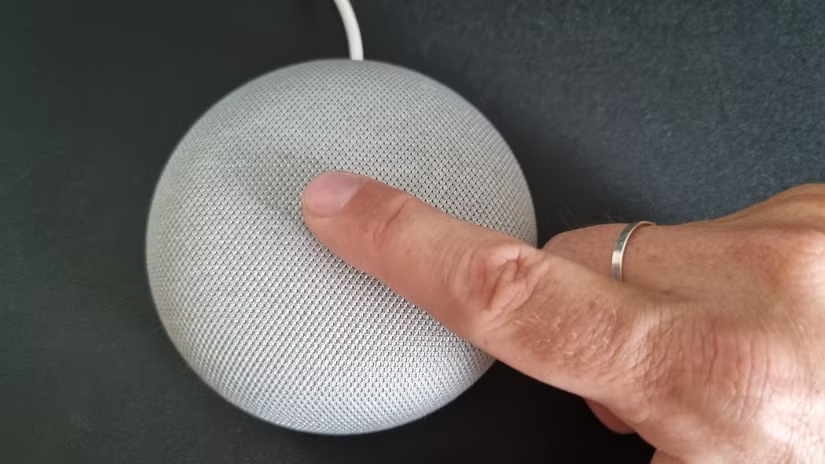
If your Google Home Mini is acting strangely, refusing to connect to Wi-Fi, or you plan to sell or give it away, a factory reset is the best solution. A reset removes all personal data, linked accounts, and custom settings, returning the device to its original state.
In this guide, you’ll learn how to factory reset Google Home Mini using clear steps. The article is easy to follow, beginner-friendly, and works for both generations of the Google Home Mini.
What Is a Factory Reset on Google Home Mini?
A factory reset restores your Google Home Mini to its default settings. It deletes:
-
Wi-Fi network details
-
Linked Google account
-
Voice Match data
-
Smart home connections
-
Personalized preferences
After a reset, the device behaves like it’s brand new.


Why You Might Need to Factory Reset Google Home Mini
There are several reasons to reset your device.
Fix Common Technical Issues
If your Google Home Mini keeps disconnecting, freezing, or not responding, a factory reset can solve the problem.
Change Wi-Fi Networks
Moving to a new location or router often requires resetting the device to connect again.
Sell or Gift the Device
A factory reset ensures your personal data stays private.
Start Fresh
Sometimes settings conflict with updates. Resetting gives you a clean start.
Things to Know Before Factory Resetting Google Home Mini
Before you reset, keep these points in mind:
-
A factory reset cannot be undone
-
You will need the Google Home app to set it up again
-
Your Google account will be removed
-
Smart home devices must be re-linked
Make sure the device is plugged in during the reset process.
How to Identify Your Google Home Mini Model
The reset process depends on the generation.
Google Home Mini (1st Generation)
-
Has a physical mute switch on the side
-
Power cable is micro-USB
Google Nest Mini (2nd Generation)
-
Has a wall mount hole on the back
-
Power cable is a barrel connector
Check the back of your device to confirm the model.
How to Factory Reset Google Home Mini (1st Generation)
Follow these steps carefully.
Step 1: Plug in the Device
Ensure your Google Home Mini is connected to power.
Step 2: Locate the Reset Button
Turn the device upside down. You’ll see a small circle near the power cable.
Step 3: Press and Hold
Press and hold the reset button for 15 seconds.
Step 4: Listen for Confirmation
You will hear a voice saying the device is resetting.
Step 5: Wait for Completion
The process takes about one minute. The device will restart automatically.
Your Google Home Mini is now fully reset.
How to Factory Reset Google Nest Mini (2nd Generation)
The newer model has a slightly different method.
Step 1: Turn Off the Microphone
Slide the microphone switch on the side to off. The lights will turn orange.
Step 2: Press the Center Area
Press and hold the center of the device where the lights appear.
Step 3: Hold for 15 Seconds
Keep holding until you hear the reset confirmation.
Step 4: Wait for Restart
The device will reset and reboot on its own.
Once done, it’s ready for a fresh setup.
Can You Factory Reset Google Home Mini Using the App?
No. Google does not allow factory resets through the Google Home app.
You must use the physical button or touch controls on the device itself.
This protects your device in case it’s lost or stolen.
What to Do After Factory Resetting Google Home Mini
After resetting, you need to set it up again.
Download or Open the Google Home App
-
Available on Android and iOS
-
Sign in with your Google account
Add a New Device
-
Tap the “+” icon
-
Select “Set up device”
-
Choose “New device”
Connect to Wi-Fi
Select your Wi-Fi network and enter the password.
Complete Voice Match (Optional)
You can retrain Google Assistant to recognize your voice.
Common Problems After Factory Reset and How to Fix Them
Sometimes users face issues even after a reset.
Device Not Entering Setup Mode
Unplug the device, wait 10 seconds, then plug it back in and try again.
Google Home Mini Not Connecting to Wi-Fi
-
Restart your router
-
Use a 2.4GHz network if available
-
Move closer to the router
Reset Button Not Working
Make sure you hold the button long enough. Less than 15 seconds will not trigger a reset.
Tips to Avoid Frequent Factory Resets
You can reduce problems with these tips:
-
Keep firmware updated
-
Use a stable Wi-Fi connection
-
Avoid power interruptions
-
Place the device away from interference
Regular maintenance helps your Google Home Mini work smoothly.
Is Factory Reset Safe for Google Home Mini?
Yes. A factory reset is safe and recommended by Google.
It does not damage the device or shorten its lifespan. It only clears stored data and settings.
When You Should Contact Google Support
Consider support if:
-
The device won’t reset at all
-
Lights don’t respond
-
Audio confirmation never plays
Google Support can help with advanced troubleshooting or replacements.
Conclusion
Knowing how to factory reset Google Home Mini is essential for every owner. Whether you’re fixing issues, switching Wi-Fi networks, or preparing the device for a new user, the reset process is simple and effective.
By following the steps in this guide, you can reset your device safely and set it up again in minutes. Keep this guide bookmarked for future use.